



- February 6, 2026
- Posted by: Mustafa Chohan
- Category: Dynamics 365 Business Central

Microsoft Dynamics 365 Business Central continues to evolve as a powerful ERP solution for growing businesses. One of its most practical features is the Role Center — a personalized workspace designed to give users quick access to the tools, insights, and tasks relevant to their job roles.
With recent updates, Role Centers have become more flexible, user-friendly, and data-driven. Let’s explore what’s new and how these improvements can help organizations work smarter.
Understanding Role Centers in Business Central
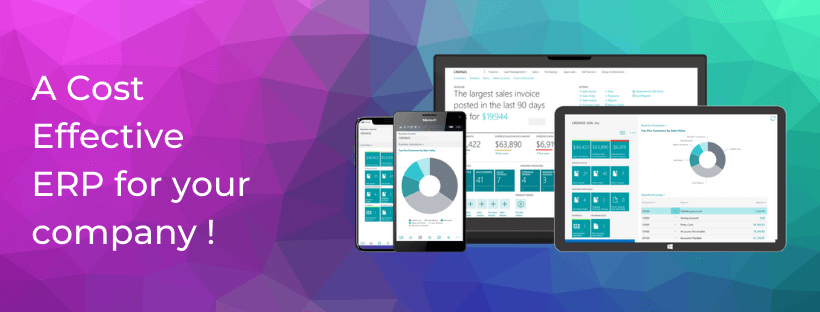
Role Centers serve as the home dashboard for users after logging in. Each Role Center is tailored to a specific role — such as Sales Manager, Accountant, or Business Owner — displaying key metrics, reminders, and navigation shortcuts.
Instead of searching through menus, users can:
- View KPIs and performance insights
- Access daily tasks and approvals
- Navigate to frequently used pages
- Monitor workflows in real time
This personalized setup boosts productivity and reduces time spent switching between modules.
What’s New in Role Centers
Recent updates to Business Central have introduced several improvements that enhance usability and customization:
Improved Personalization
Users can now rearrange or hide elements more easily, allowing them to design dashboards that fit their workflow.
Enhanced Data Visualization
Modern charts and improved reporting visuals help users interpret data quickly and make informed decisions.
Faster Navigation and Search
Smarter search functionality enables quicker access to records, reports, and pages directly from the Role Center.
Integration Enhancements
Better integration with Microsoft tools like Teams, Excel, and Power BI ensures smoother collaboration and reporting.
Performance Optimizations
Updates have reduced load times and improved responsiveness, especially for users managing large datasets.
Why These Updates Matter
These changes are not just cosmetic — they directly impact business efficiency.
- Better decision-making through real-time insights
- Higher productivity with quick access to tools
- Reduced errors due to clear task visibility
- Improved collaboration through seamless integrations
Modern Role Centers help organizations stay agile in a competitive environment.
Making the Most of Role Centers
To maximize the value of these features:
- Customize dashboards based on daily priorities
- Monitor KPIs regularly
- Train team members to personalize their workspace
- Integrate with reporting tools for deeper insights
Small adjustments can significantly improve user experience and operational efficiency.
Conclusion
The evolution of Business Central Role Centers reflects Microsoft’s focus on usability and intelligent insights. With better customization, visualization, and integration capabilities, they have become essential productivity hubs for modern businesses. Exploring and optimizing these features can lead to smarter workflows, faster decision-making, and improved overall performance.
Looking to optimize your Business Central experience or implement smarter ERP solutions? Tech Ventures is here to help. Our experts provide tailored guidance, customization, and support to ensure your system works exactly the way your business needs. Contact Tech Ventures today to take your business operations to the next level.